

Overview
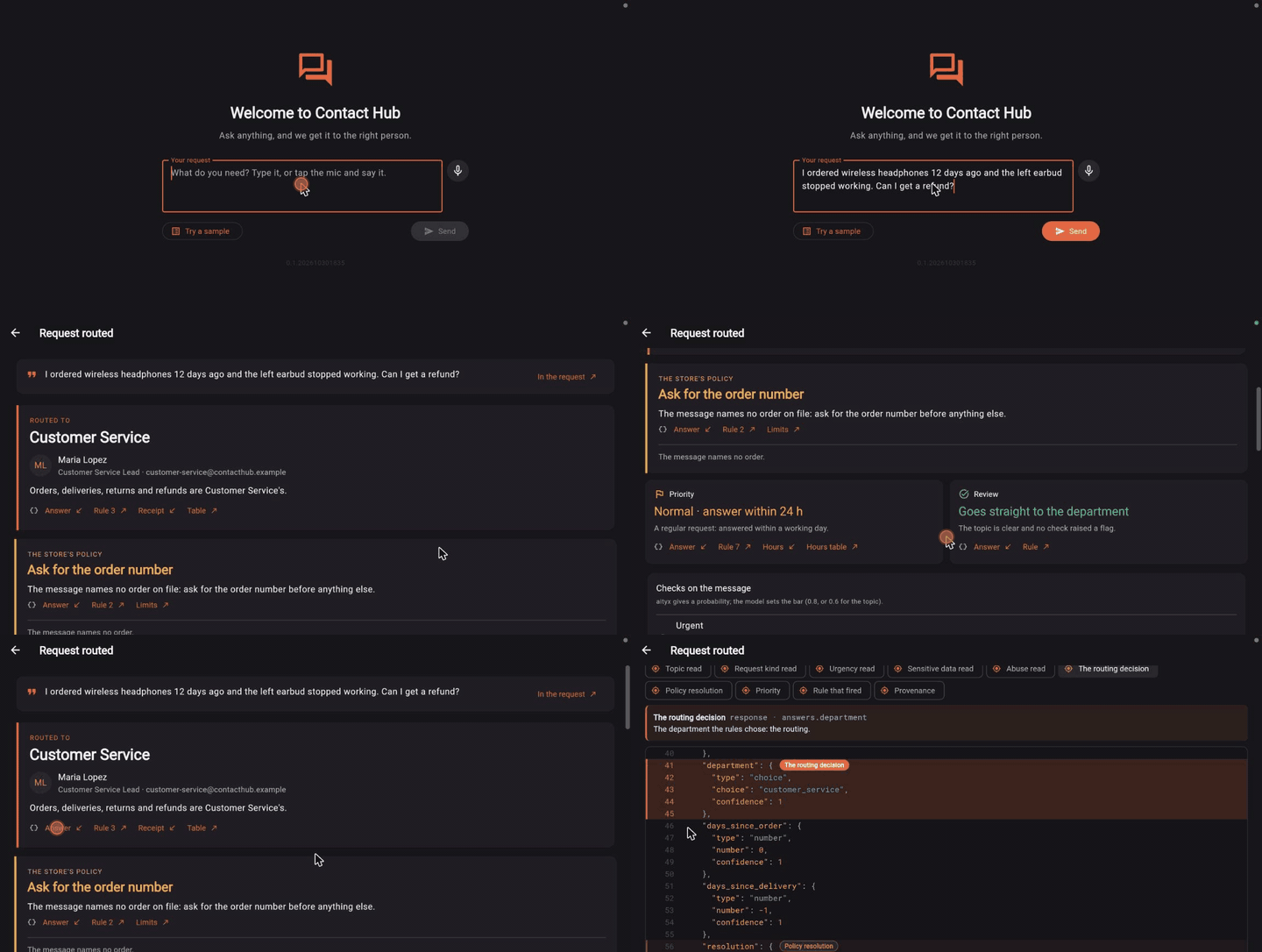
A request, typed or dictated on the device, is classified and checked by aityx and routed by a decision model to the department, the person and the priority; for an order, the store’s policy says what is refunded and by when. The app shows why, and the aityx call itself.
Preview
A recording of Contact Hub
The preview didn’t load
Reload the page to try again.
Steps
- Type a request, say it with the microphone beside the field, or pick one from Try a sample.
- Press Send: one aityx call has Jev classify and check the message, and a decision model route it.
- See where it went: the department, the person and the priority, and for an order what is paid back, and by when.
- Follow the links from each reason to the JSON behind it, in the aityx call itself.
Highlights
- 01
Classify the request
Jev reads the message, typed or dictated, and checks what it asks for.
- 02
Route it
A decision model picks the department, the person and the priority.
- 03
Refund policy
For an order, the store’s policy says what is refunded and by when.
- 04
Show why
The app shows the reasons and the aityx call, with the JSON behind each item.